
CCTV Camera Codes
A complete, updated list of every RUST in-game CCTV camera code, plus how to set up a Computer Station to pull live monument feeds. Pick a camera on the right to preview its angle, then copy the identifier straight into your station.
Preview
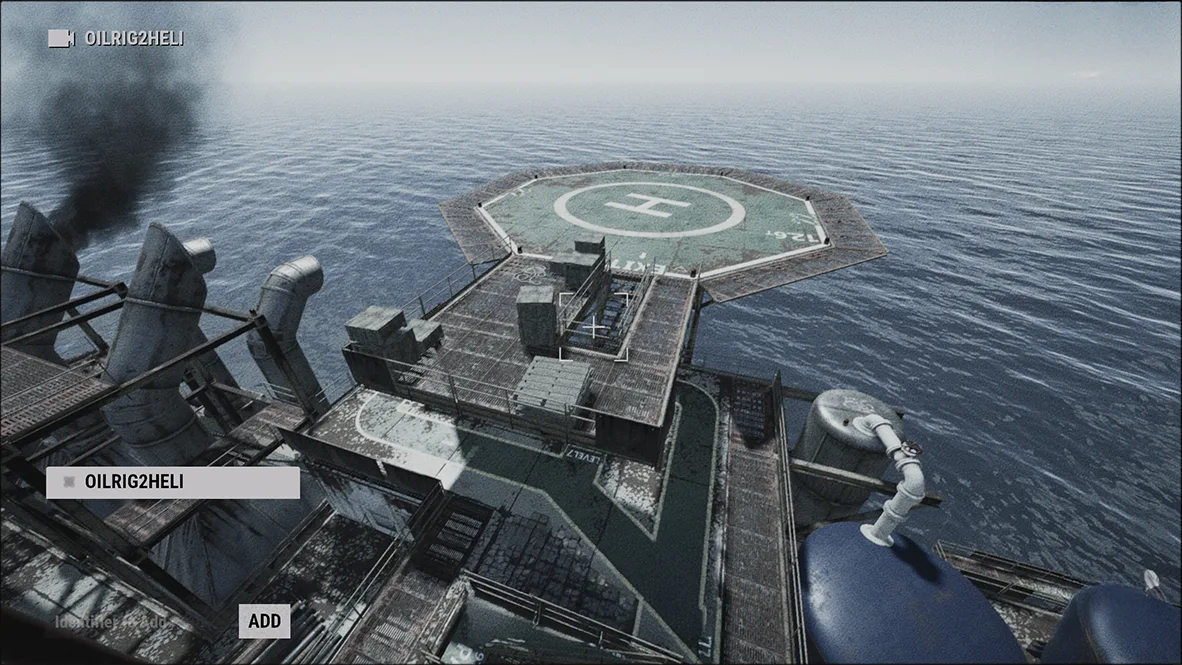
Large Oil Rig OILRIG2HELI
Computer station setup
- 01 Get a Computer Station Research at a Tier 2 Workbench for 75 scrap, or buy one from Outpost for 300 scrap.
- 02 Mount & power it Place it on a floor tile and wire it to a power source. The Computer Station now requires electricity. Hold E to sit down at the terminal.
- 03 Add an identifier Type a case-sensitive code into “Identifier to Add”, lower-left, and click Add.
- 04 Watch the feed Click a saved identifier to open its live monument feed and scout.
“NO SIGNAL”: wrong/destroyed camera “WEAK SIGNAL”: shot & disabled ~5 min
Select camera for preview
Codes regenerate every wipe from the map seed. Read them in person from the communications-tent computer station.
Procedurally generated: a random 4-digit suffix is appended per lab. Read it from the keycard-locked CCTV station module.